
5 Vintage Christmas Paper Ideas for Journals and Scrapbooks
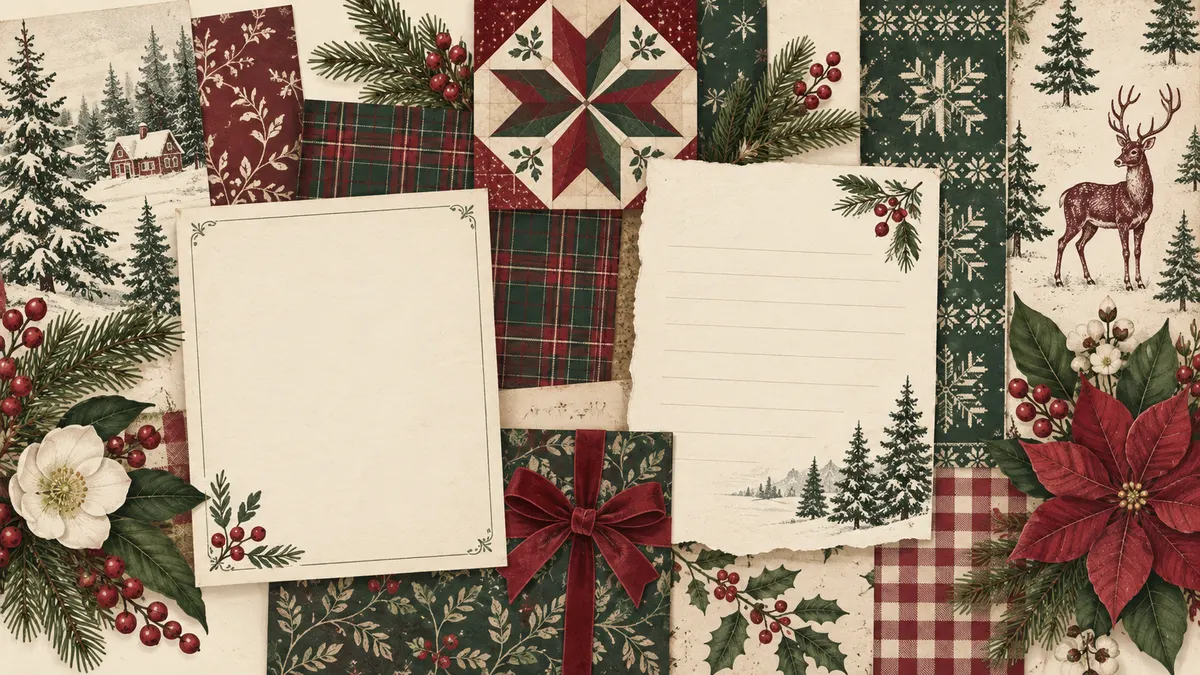
Vintage Christmas digital papers can do more than cover a scrapbook page. Use a quiet pattern for a recipe or memory, a busier repeat for tags and pockets, and a coordinated mix when a photo needs a frame. These five ideas help you choose a pattern for the job.
About the hero image: This AI-assisted digital illustration is a visual moodboard made for this guide. It is not a photograph, a file from the collection, or a print test.
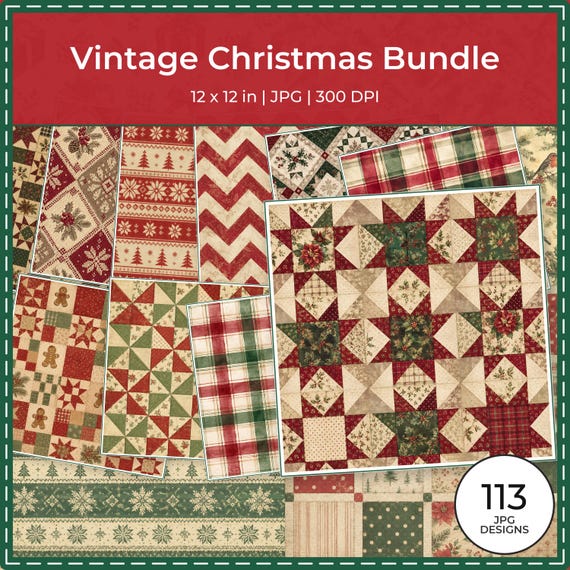
Quick answer: the linked Vintage Christmas collection lists 113 separate JPG papers, each 12 × 12 inches (3600 × 3600 pixels) at 300 DPI. It is a digital download through Etsy; no physical paper is shipped. A full-size 12 × 12 print requires a printer that accepts that exact square media size, or a print service that accepts 12-inch-square files.
Five vintage Christmas paper ideas
1. Make a December memory page
Start with the moment you want to remember: a school concert, a favorite meal, or a snowy walk. Put your photo and a short dated note on a quieter area, then use a narrow strip of plaid, evergreen, or another small repeat to frame the page. A useful prompt is: What detail from this day would I want to remember next year?
2. Turn a recipe into a family keepsake
Choose a design with open space so the ingredients and directions stay easy to read. Add the cook’s name, the occasion, or a brief note about when the recipe is served. If the pattern is busy, crop it into a small border or label rather than placing it behind the full recipe.
3. Cut coordinating tags and pocket cards
Use a small-scale repeat or a single motif for gift tags, journal cards, and pockets. Before cutting, decide where the name or note will go and leave that area clear. If you are printing at home, check the size and margins in your print preview so a tag’s edge or writing space is not clipped.
4. Mix patterns around a favorite photo
Choose three different pattern roles: one larger motif, one smaller repeat, and one quiet background. Keep the photo as the focal point and use the patterns in separate areas or as mats and borders. There is no required ratio; adjust the amount of pattern until the photo and any journaling remain easy to see.
5. Make a holiday card or envelope liner
Use a favorite repeat as a card panel or envelope liner, and keep folds, address areas, and glue surfaces clear. Check your card or envelope template before trimming; sizes and printable margins vary. A small matching tag can carry the same motif without making the front of the card feel crowded.
Make a Christmas village memory card
Use page one of the free Christmas Village sample PDF for this small journal layout. The samples are for personal craft use only; the linked page explains the terms.
- Create a 5 × 7-inch portrait canvas in your scrapbook editor.
- Place the square page at 4 × 4 inches, 0.5 inches from the top and left edges. This keeps the full design at one-third size and preserves its proportions.
- Below it, leave a 0.25-inch gap and set a 4 × 1.75-inch note box at x=0.5 inches and y=4.75 inches for a heading, date, and short memory. The box leaves a 0.5-inch bottom margin.
This is a digital layout suggestion, not a tested physical print.
Printing a 12 × 12 paper in the United States or Canada
The collection files are square. US Letter is 8.5 × 11 inches, and A4 is 210 × 297 mm, so neither sheet can hold a full 12-inch-square design at its original size. A proportional fit setting can reduce the whole design to the printable area, with unused space around it; a fill or crop setting may cut off part of the design. Check the preview before printing.
For a full 12 × 12-inch sheet, confirm that the printer’s supported-media list accepts the exact square size and that its feed path can handle the paper you plan to use. A wide-format label by itself does not confirm 12 × 12 support. You can also use a print service that accepts square scrapbook files. Some software can tile a large image across smaller sheets; check the preview, overlap, and alignment options for your specific software before relying on that route. See our step-by-step 12 × 12 printing guide for more on choosing a print method.
Why printed colors can differ from a screen
A screen emits light, while paper reflects it. The appearance of a print can change with the display, printer, print settings, ink or toner, and the paper’s base color and finish. No single color result is guaranteed across devices or paper types. If color matters for your project, print one copy using the paper and settings you plan to use, review it under the light where it will be viewed, and adjust your own settings if needed.
Collection details
The collection page lists 113 JPG digital papers at 12 × 12 inches (3600 × 3600 pixels) and 300 DPI. It identifies delivery as an instant Etsy download and states that no physical paper is shipped. Check Etsy for the current price, availability, and checkout terms.
See the complete Vintage Christmas collection details
View all 113 papers and current offers on Etsy
Etsy displays the current price, eligibility, and final discount before checkout. Prices and temporary offers can change.
Explore ScrapBujo digital collections
Explore the Vintage Christmas digital paper collection
The Vintage Christmas collection is the one discussed in this guide. Open its page for the current previews and file details.
12×12 in 300 DPI Digital download
Digital Scrapbook Papers · Seasonal & Holidays
Vintage Christmas Digital Paper Collection (113 JPG)
A 113-paper vintage Christmas digital collection in muted burgundy, evergreen and cream for…
Each product page identifies its checkout, current price, and digital delivery details.