
How to Choose Paper Stock for a Baby Memory Book at Home
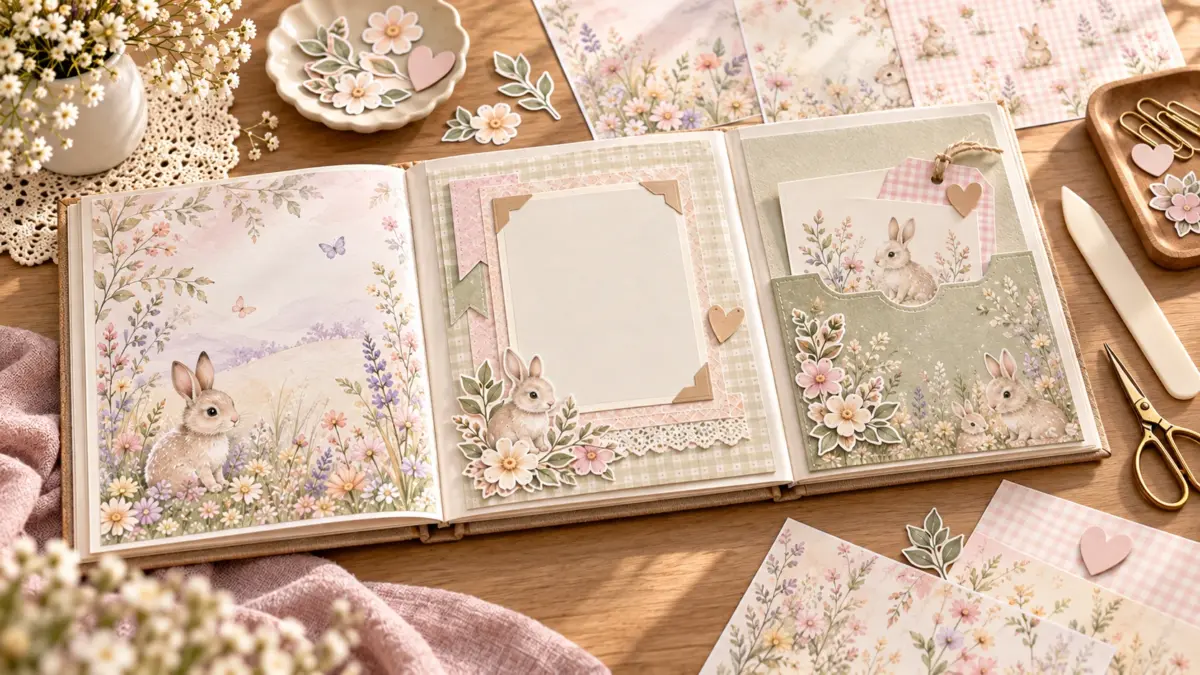
For a baby memory book, choose paper stock by what each piece needs to do. A page that sits flat inside an album can use a lighter sheet; a pocket or divider that will be handled often may need more structure. Your printer’s supported paper weight and feed path set the practical limit, while the album’s binding sets how much thickness the finished book can hold.
There is no single best stock for every home printer or scrapbook format. Check the printer manual for the paper sizes, media types and weights it supports. Then make a small test with the actual album page or pocket before printing a larger batch.
If you are still deciding which pages the album needs, begin with the practical page plan for a baby’s first-year memory book, then return here to choose stock for each component.
Plan the book before choosing stock
Start with the album. Measure the page and the inside area of any page protector. Note the binding clearance and how much room remains when the album is closed. A large ring album may allow room for layered pockets; a slim bound book may need flatter pages.
Next, list the pieces you plan to make: backgrounds, photo mats, journaling cards, divider tabs or pockets. They do not all need the same stock. Using one heavy sheet for every element can make the book bulky and can exceed what the printer accepts. A lighter printed panel mounted on a sturdier blank base may give you structure where it is needed without thickening every page.
Think about how often a component will be handled. A pocket that opens repeatedly needs a firm fold and secure tabs. A background under a photograph mainly needs to lie flat. A divider tab should extend far enough to grasp but remain within the page protector or album edge. Match the stock to the task rather than choosing by a single “premium” label.
Match stock to each component
| Memory-book piece | Stock decision | What to check |
|---|---|---|
| Background page | Keep the sheet light enough for the printer and album | Does it feed reliably and sit flat under the page protector? |
| Photo mat | Use a sheet that supports the photo without excessive bulk | Will the layered page still turn and close? |
| Journaling card | Choose stock that stays flat and accepts the pen you plan to use | Test handwriting on a scrap before assembly. |
| Use a firmer sheet if the printer can feed it, or mount a printed panel to a blank base | Do the folds hold, and can the card slide without tearing? | |
| Divider tab | Keep it sturdy but thin enough not to strain the binding | Does the tab catch on sleeves or neighboring pages? |
Paper labels and weights vary by manufacturer and unit. A number in pounds is not directly comparable to a number in GSM without a conversion, and thickness or stiffness can affect feeding too. Use the printer’s supported specifications for your model rather than relying on a generic stock recommendation.
Check printer compatibility
Find your printer model’s manual or manufacturer support page. Check the supported paper sizes, media types and maximum weight. Some printers require thicker stock to use a particular tray or manual feed path. Other models may not support it at all. Follow the manufacturer’s loading instructions and do not force a stiff sheet through the printer.
Use a paper-size setting that matches the sheet. US Letter is 8.5 × 11 inches; A4 is 210 × 297 mm. Select the correct orientation as well. If the page does not match the paper size, the printer may scale or crop it. A scale change can alter the finished panel dimensions, so compare the preview with your album template before printing.
The print dialog may offer a media setting that changes how the printer handles the sheet or applies ink. Menu labels differ, so consult the manual when you cannot tell which type to select. Do not assume that choosing a heavier paper setting expands the printer’s physical capacity for that stock.
Test stock before making a set
Use one blank or proof sheet of the intended stock. Check that the printer feeds it squarely and that no corners curl or catch. Let the print dry according to the paper maker’s instructions, then handle the sheet as you will during assembly. Fold a scrap into a pocket and see whether the crease holds without cracking.
For a nursery-themed print proof, try the free Baby Gray Nursery Signature A4 sample. Its PDF contains three A4 portrait sample papers. Check the print preview for page size and scaling before printing; if you use US Letter, confirm the page fits as intended.
Put the test page into the album or sleeve. Confirm that it clears the binding, turns without snagging and allows the album to close. If the page feels too thick, reduce the number of layers or move some content to a separate insert. It is easier to adjust one proof than a completed stack.
Test the adhesive on scraps too. A pocket made from heavier stock may need a different amount or placement of adhesive than a thin printed panel. Keep glue on the pocket tabs and allow it to set before inserting a card. For photographs and original keepsakes, use copies or a removable pocket when permanent attachment could cause damage.
Manage bulk across the whole album
Album thickness accumulates. A page with several mats, a pocket and a card can add more bulk than it appears to when laid flat. Alternate interactive pages with simpler spreads. Put only a few cards in each pocket, and store overflow in a separate envelope or box.
Avoid placing thick embellishments directly along the binding. Leave a little room at the edge so the page turns easily. If you use page protectors, test the fully assembled spread inside them; a layout that fits the bare page may press against the sleeve seam.
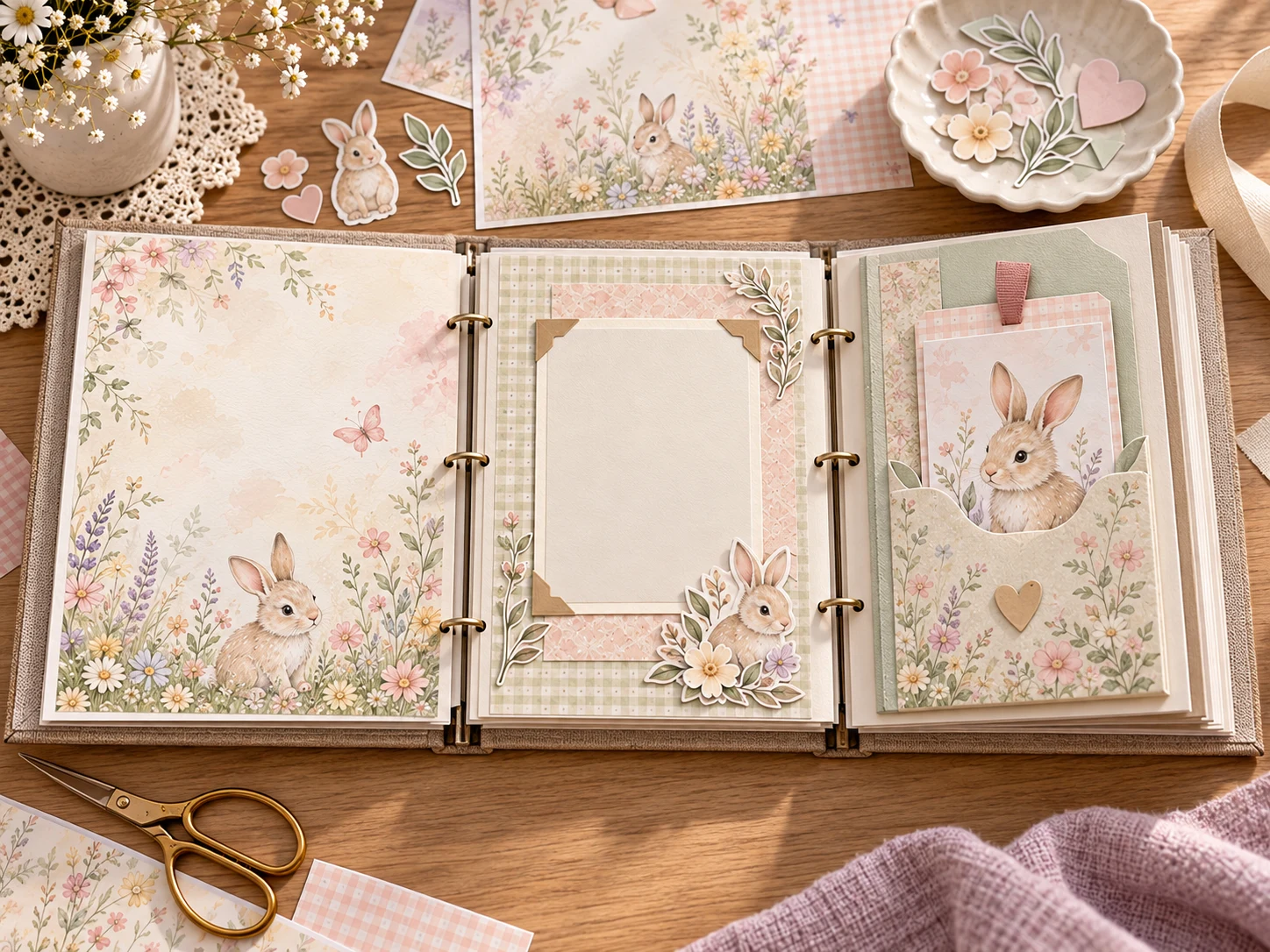
Keep surface and finish decisions separate
This article is about paper stock, structure and fit in a baby memory book. Surface labels such as matte, satin or photo paper do not by themselves prove that a sheet will feed cleanly, accept handwriting or suit a layered album. Test the specific stock and pen you intend to use, and follow the current paper and media guidance for your printer.
FAQs
Should every page in a baby memory book use the same stock?
No. A flat background, photo mat, card and pocket have different jobs. Choose each stock based on printer support, album fit and how the piece will be handled.
Is heavier paper always better for a scrapbook pocket?
Not always. Heavier stock can add structure, but it may be unsupported by your printer or add too much bulk. Check the model specifications and test a fold.
How do I know whether paper will fit my printer?
Check the printer manual for supported sizes, types and weights. If the manual is unclear, use a lighter stock or contact the manufacturer before trying a stiff sheet.
Can I mount a printed design on cardstock?
Yes. A printed panel on a blank sturdy base can add structure only where needed. Test the completed thickness in the album before repeating the design.
What if the finished album becomes too thick?
Reduce the number of layers, make pockets shallower or store extra cards separately. Leave binding clearance and test the album closed as you build it.
Does a paper weight number tell me everything about printer compatibility?
No. Feed path, stiffness, size and printer settings also matter. Follow the model-specific manual and the paper manufacturer’s instructions.
Suggested next step
Measure one album page, identify the component that needs the most structure and test a single sheet within the printer’s published limits. For scale and page-size decisions, see the live borderless printing and Actual Size guide.
Image note: the album scenes in this guide are illustrative AI-generated mockups created with ImageGen using current ScrapBujo Baby Bunny artwork as a visual reference. They show different structural uses for paper; they are not photographs of a customer project, a printer test or measured paper thicknesses.
Explore ScrapBujo digital collections
Digital paper collections for your next project
Explore coordinated digital collections on ScrapBujo, compare formats, and follow the checkout shown for the product you choose.

12×12 in 300 DPI Digital download
Digital Scrapbook Papers · Seasonal & Holidays
Aurora Ribbon Christmas: 40 Abstract Scrapbook Papers
40 coordinated abstract Christmas and winter scrapbook papers in 12 × 12 inch…
12×12 in 300 DPI Digital download
Digital Scrapbook Papers
Alpine Knit Winter — 40 Digital Scrapbook Paper Designs
40 alpine winter paper designs in 12 × 12 inch and US Letter…
12×12 in 300 DPI Digital download
Digital Scrapbook Papers
Apple Orchard & Cider Harvest Digital Papers
Build an apple-picking scrapbook page, journal entry or recipe card with 72 square…
Each product page identifies its checkout, current price, and digital delivery details.