
How to Prepare a Christmas Scrapbook Before December

Quick answer: Choose the album format, gather the photos and details you want to remember, then prepare a few page foundations before December. A small plan now leaves room to make pages during the holiday without turning every gathering into a photo assignment.
Start with these four decisions
- What will this scrapbook hold: family traditions, a first Christmas, recipes, travel, gifts, or a mix?
- Which album or page size can you actually print, store, and work with?
- Which photos and written details would be hard to recover later?
- Which page pieces can you prepare now, and which should wait for December’s real photos and stories?
A realistic Christmas scrapbook timeline
Now: choose the shape of the project
Pick one simple scope: for example, a short family album, a December daily journal, a recipe-and-tradition book, or a few scrapbook pages for a gift. Write down who the pages are for, where the finished work will live, and how much time you can give it. You do not need to decide every layout yet.
Choose a page size by working backward from your album, binder, printer, and photos. If you already own an album, measure its usable page area and check its page orientation. If you plan to print at home, confirm which paper sizes and margins your printer supports. If you will use a print service, check its current accepted dimensions and file requirements before designing. A square, portrait, or landscape page changes how a photo fits; do not assume a crop or scaling option will preserve every edge.
If you work with digital photos, make a shortlist folder and keep untouched originals separate from crops or edits. Apple’s Photos guide explains how to crop to a chosen aspect ratio, and Apple’s print guide covers standard and custom print sizes on Mac. Use those as software instructions, then check the settings for your own device and printer. Apple Photos: crop to a chosen proportion · Apple Photos: print at a standard or custom size.
October: gather the story, not just the highlights
Create a short capture list and ask relatives for details while they are easy to reach. Save original photo files and note names, dates, and places as you confirm them. Leave a question marked “check later” instead of filling a gap from memory.
- People: names and relationships you can verify, who was present, and who could not be there.
- Places and dates: home, travel stops, community events, and the day a photo was taken.
- Rituals: decorating, music, a favorite story, a meal, a game, or a small change in the family routine.
- Making and giving: a handmade item, who made or chose a gift, who received it, and any note or tag worth keeping.
- Food: the recipe name and source, who cooked it, and a detail you want to remember about that batch.
- Everyday scenes: a quiet preparation moment, a lived-in room, a table before dinner, or the cleanup afterward.
- Words: a short quote, card message, recipe note, or family recollection, with permission when you plan to reproduce someone else’s writing.
Choose a manageable photo target instead of trying to save every image. Include a few wide views for context, close details, and people together if those matter to your story. Keep a note beside each selected image if its date, people, or context might otherwise be unclear.
November: prepare foundations and flexible pieces
Make a rough page map with a few planned spreads and blank spaces for moments that have not happened. Put the most important story on the page first: one photo, a date or place, and a sentence that explains why the moment matters. Add decoration only after the page can carry that information.
If pockets or tags fit your project, make a small number from paper you already have. A pocket can hold a recipe card, ticket, or folded note; a tag can carry a date, name, or short caption. Test each piece in the actual album before making more: check that it fits, turns with the page, and does not cover a photo or writing area. Keep some plain page bases ready, but leave photo openings and captions flexible until you know what December gives you.
For printed photos, select the final print size only after checking the photo’s proportions against the space on the page. Crop a copy, not your original, and preview the result before ordering or printing. If you print borderless at home, consult your printer’s current manual and preview the margins: Epson notes that some borderless output may slightly enlarge and crop an image, and recommends checking paper size, layout, and margin settings. Keep faces and text inside the area your preview shows. Epson’s image-size and position guidance. Try one sample using your own printer, paper, and settings before preparing a full batch. This is a check, not a guarantee that colors or sizing will match another device.
Early December: capture, finish, and leave room
During the holiday, add photos and notes to the spaces you left open. A quick dated note on your phone or a card beside the camera can preserve details you may not remember later. You do not have to finish each page the day the photo is taken.
After the gathering, choose the images that support the story you planned and add captions while the details are fresh. If plans changed, let the album change too. A useful record can include an imperfect moment or a tradition that did not happen this year.
Use a simple page plan
- Opening page: year, household or family name, and one sentence about what this album is meant to keep.
- Before the holiday: preparations, decorating, shopping or making, and one detail about how the season began.
- People and place: a wider scene, names you can confirm, date, and location.
- Tradition or meal: one activity or recipe, its source, and a short note in your own words.
- Small moment: an ordinary or unexpected scene that adds context to the big celebration.
- Closing page: a note about what you want to remember, with room to add a late photo or message.
This is a menu, not a required page count. Combine sections, skip what does not fit, or make a pocket for a loose card instead of forcing every memory onto a spread.
Keep the project easy to resume
Store selected originals, edited copies, captions, and any print-ready files in clearly named folders. Keep a brief note of the page size and print settings you tested. Before printing a full set, check the file at its intended size and inspect the crop, edges, and readable text. ScrapBujo’s pixel-size calculator can help translate a chosen print dimension into a pixel dimension; the 12 × 12 printing guide covers the constraints of home printing that size. For pattern choices, see our five vintage Christmas paper ideas for journals and scrapbooks.
If your album will also preserve recipes, gifts, or family memories, see the separate Christmas archive guide for recipes, gifts, and memories. For layout inspiration, browse Christmas scrapbook ideas on Pinterest, then make your own page and use images or artwork only when you have the rights to do so.
Explore ScrapBujo digital collections
Plan your Christmas scrapbook pages before December
Explore coordinated digital collections on ScrapBujo, compare formats, and follow the checkout shown for the product you choose.

300 DPI Digital download
Seasonal & Holidays
Cozy Christmas Baking
Explore 28 coordinated digital scrapbook papers from the ScrapBujo Cozy Christmas Baking collection,…

300 DPI Digital download
Seasonal & Holidays
Woodland Christmas Memories
Explore 28 coordinated digital scrapbook papers from the ScrapBujo Woodland Christmas Memories collection,…
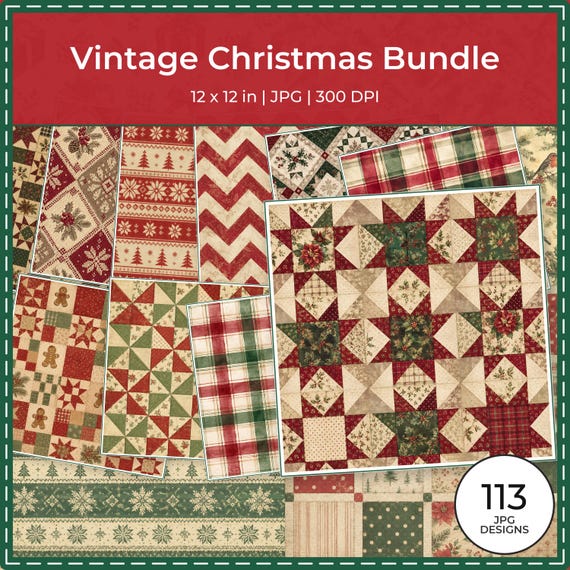
12×12 in 300 DPI Digital download
Digital Scrapbook Papers · Seasonal & Holidays
Vintage Christmas Digital Paper Collection (113 JPG)
A 113-paper vintage Christmas digital collection in muted burgundy, evergreen and cream for…
Each product page identifies its checkout, current price, and digital delivery details.