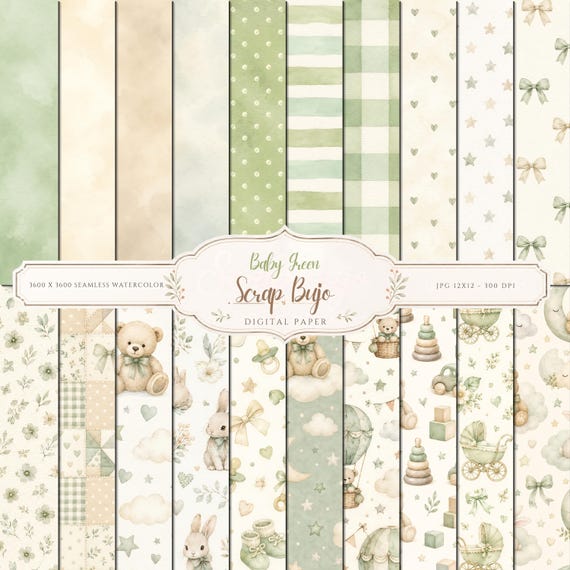
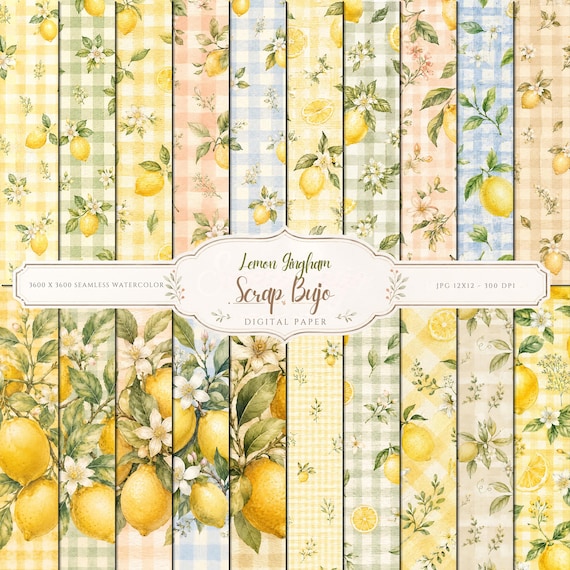
For image sizing, the common “300 DPI” label refers to a target of 300 pixels per inch (PPI) at the chosen print size. Multiply the finished width and height in inches by 300, or enter inches or centimeters below to calculate pixel dimensions rounded to the nearest whole pixel.
There is no one pixel size for 300 DPI; the finished print size determines it. For an image intended to print at 300 PPI, multiply its width and height in inches by 300. These common sizes give you a quick starting point:
Print size
Pixels at 300 PPI
Common use
1 × 1 in
300 × 300 px
Small reference square
2 × 2 in
600 × 600 px
Square print
4 × 6 in
1200 × 1800 px
Photo print
5 × 7 in
1500 × 2100 px
Photo or card
6 × 6 in
1800 × 1800 px
Square print
8 × 10 in
2400 × 3000 px
Photo or wall print
8.5 × 11 in (US Letter)
2550 × 3300 px
US Letter
21 × 29.7 cm (A4)
2480 × 3508 px
A4
12 × 12 in
3600 × 3600 px
Scrapbook page
18 × 24 in
5400 × 7200 px
Poster
Use the calculator below for a custom size or to switch between inches and centimeters.
Print size reference: pixels at 150, 300, and 600 PPI
Pick the finished size first. These tables show the pixel dimensions for common scrapbook, paper, photo, card, and poster sizes at 150, 300, and 600 PPI. For inches, multiply each side by PPI; for millimeters, divide by 25.4 first. Each result is rounded to the nearest whole pixel.
Sizes are trim dimensions without bleed. Rotate the design to swap orientation. Use the PPI requested by your print provider; these figures calculate pixel dimensions and do not add image detail or change a printer’s limits.
Scrapbook pages and journaling cards
Scrapbook pages and journaling cards: calculated pixel dimensions at three PPI values
Finished size
150 PPI
300 PPI
600 PPI
12 × 12 in scrapbook page
1,800 × 1,800 px
3,600 × 3,600 px
7,200 × 7,200 px
8 × 8 in scrapbook page
1,200 × 1,200 px
2,400 × 2,400 px
4,800 × 4,800 px
6 × 6 in scrapbook page
900 × 900 px
1,800 × 1,800 px
3,600 × 3,600 px
4 × 4 in scrapbook page
600 × 600 px
1,200 × 1,200 px
2,400 × 2,400 px
3 × 4 in journaling card
450 × 600 px
900 × 1,200 px
1,800 × 2,400 px
4 × 6 in journaling card
600 × 900 px
1,200 × 1,800 px
2,400 × 3,600 px
North American paper sizes
North American paper sizes: calculated pixel dimensions at three PPI values
Finished size
150 PPI
300 PPI
600 PPI
US Letter · 8.5 × 11 in
1,275 × 1,650 px
2,550 × 3,300 px
5,100 × 6,600 px
US Legal · 8.5 × 14 in
1,275 × 2,100 px
2,550 × 4,200 px
5,100 × 8,400 px
Tabloid · 11 × 17 in
1,650 × 2,550 px
3,300 × 5,100 px
6,600 × 10,200 px
Half Letter · 5.5 × 8.5 in
825 × 1,275 px
1,650 × 2,550 px
3,300 × 5,100 px
ISO A-series paper sizes
ISO A-series paper sizes: calculated pixel dimensions at three PPI values
Finished size
150 PPI
300 PPI
600 PPI
A0 · 841 × 1189 mm
4,967 × 7,022 px
9,933 × 14,043 px
19,866 × 28,087 px
A1 · 594 × 841 mm
3,508 × 4,967 px
7,016 × 9,933 px
14,031 × 19,866 px
A2 · 420 × 594 mm
2,480 × 3,508 px
4,961 × 7,016 px
9,921 × 14,031 px
A3 · 297 × 420 mm
1,754 × 2,480 px
3,508 × 4,961 px
7,016 × 9,921 px
A4 · 210 × 297 mm
1,240 × 1,754 px
2,480 × 3,508 px
4,961 × 7,016 px
A5 · 148 × 210 mm
874 × 1,240 px
1,748 × 2,480 px
3,496 × 4,961 px
A6 · 105 × 148 mm
620 × 874 px
1,240 × 1,748 px
2,480 × 3,496 px
A7 · 74 × 105 mm
437 × 620 px
874 × 1,240 px
1,748 × 2,480 px
Common photo print sizes
Common photo print sizes: calculated pixel dimensions at three PPI values
Finished size
150 PPI
300 PPI
600 PPI
4 × 6 in
600 × 900 px
1,200 × 1,800 px
2,400 × 3,600 px
5 × 7 in
750 × 1,050 px
1,500 × 2,100 px
3,000 × 4,200 px
8 × 10 in
1,200 × 1,500 px
2,400 × 3,000 px
4,800 × 6,000 px
11 × 14 in
1,650 × 2,100 px
3,300 × 4,200 px
6,600 × 8,400 px
16 × 20 in
2,400 × 3,000 px
4,800 × 6,000 px
9,600 × 12,000 px
20 × 30 in
3,000 × 4,500 px
6,000 × 9,000 px
12,000 × 18,000 px
Cards and postcards
Cards and postcards: calculated pixel dimensions at three PPI values
Finished size
150 PPI
300 PPI
600 PPI
Business card · 3.5 × 2 in
525 × 300 px
1,050 × 600 px
2,100 × 1,200 px
Business card · 85 × 55 mm
502 × 325 px
1,004 × 650 px
2,008 × 1,299 px
US postcard · 6 × 4 in
900 × 600 px
1,800 × 1,200 px
3,600 × 2,400 px
A6 landscape postcard · 148 × 105 mm
874 × 620 px
1,748 × 1,240 px
3,496 × 2,480 px
Large poster sizes
Large poster sizes: calculated pixel dimensions at three PPI values
Finished size
150 PPI
300 PPI
600 PPI
18 × 24 in
2,700 × 3,600 px
5,400 × 7,200 px
10,800 × 14,400 px
24 × 36 in
3,600 × 5,400 px
7,200 × 10,800 px
14,400 × 21,600 px
Cropping and bleed change the working dimensions
Photo crops change the aspect ratio and may discard pixels. Compare the photo and print shapes, choose “Fit” or “Fill” intentionally, and check the pixel dimensions after cropping. “Fill” can crop; “Fit” can leave space.
Changing only DPI/PPI metadata changes the stated print size at that density; it does not restore pixels or detail that are not in the image.
Bleed is set by the print provider. If a job requires 3 mm on each edge, add 6 mm to both trim dimensions before converting. For example, A4 trim is 210 × 297 mm; with that bleed the working size is 216 × 303 mm, or 2551 × 3579 px at 300 PPI after rounding each side.
For a 12-inch page with 1/8 inch of bleed on each edge, add 1/4 inch to the side: 12.25 inches × 300 = 3675 pixels per side. Use that larger size only when your provider requests it.
For a 12 × 12-inch page, the pixel dimensions depend on the pixel density used in the calculation. At 300 PPI, the image is 3,600 × 3,600 pixels—a common target for detailed printables. At 96 PPI, the same mathematical conversion gives 1,152 × 1,152 pixels. The 96-PPI figure is a common web and design convention, not a universal map of physical screen size; actual display scaling and pixel density vary. For a raster image, PPI describes image pixels per inch. DPI technically describes printer dots. Choose the density that fits your intended use, and use 300 PPI when calculating the page's pixel dimensions for 300-PPI printing.
12 × 12-inch pixel dimensions at different PPI settings
For a 12 × 12-inch page, multiply 12 by the print resolution for each side. Here are the pixel dimensions at four PPI settings:
Print resolution (PPI)
Pixel dimensions for 12 × 12 in
300 PPI
3,600 × 3,600 px
240 PPI
2,880 × 2,880 px
200 PPI
2,400 × 2,400 px
150 PPI
1,800 × 1,800 px
These are dimension calculations, not a guarantee of sharpness. PPI sets how densely the image pixels are placed at the chosen print size; the result also depends on the detail in the source image and the printing process. The formula follows Adobe’s explanation of pixel dimensions, physical size and resolution.
Use the calculator above as a 300 DPI to pixels converter for any custom width and height. The result gives pixel dimensions rounded to the nearest whole pixel for the selected print size and PPI. If your project needs room for cropping or bleed, plan for those dimensions separately.
Already have the pixel dimensions? Divide each side by 300 to find the print size in inches. For example, a 1920 × 1080-pixel image prints at 6.4 × 3.6 inches at 300 PPI without resampling.
Pixel dimensions
Print size at 300 PPI
Typical match
1200 × 1800 px
4 × 6 in
Photo print
1920 × 1080 px
6.4 × 3.6 in
16:9 image
2480 × 3508 px
8.27 × 11.69 in
A4
2550 × 3300 px
8.5 × 11 in
US Letter
3000 × 3000 px
10 × 10 in
Square print
3600 × 3600 px
12 × 12 in
Scrapbook page
DPI does not determine the file size in KB or MB. Storage depends on the pixel dimensions, file format, compression and image detail.
DPI and PPI: why the calculator uses the same number
PPI describes image pixels per printed inch, while DPI technically describes printer dots. Download listings commonly say “300 DPI” when they mean the image is prepared to print at 300 pixels per inch. This calculator uses that familiar wording but calculates image pixels.
Why is my PDF blurry when I print it?
Check the source first: low pixel dimensions or enlarging a raster image beyond its intended print size can make details look soft. A 300 DPI label alone does not add pixels or restore detail.
Check print scaling next. In your PDF app, compare “Actual size” with “Fit”; Actual size avoids resizing but can crop content if the page is larger than the printable area.
Then check the selected paper size, paper type and print-quality settings against the paper loaded. For model-specific cleaning or maintenance steps, follow your printer manual.
In Photoshop, choose Image > Image Size and set Resolution to 300 pixels/inch. Leave Resample unchecked to keep the current pixel dimensions; the calculated print size will change. Turn Resample on only if you need Photoshop to change the pixel count for a specific print size—upsampling cannot restore detail missing from the original. Check the resulting dimensions against your intended print size with the calculator above. See Adobe’s steps for the Image Size dialog.
How do I know if my photo is 300 DPI?
Check the pixel dimensions against the size you plan to print. After cropping to the intended aspect ratio, divide each pixel dimension by its matching print dimension in inches: a 3,000 × 2,400-pixel photo printed at 10 × 8 inches is 300 PPI on both sides. If you crop or resize the photo, use the resulting pixel dimensions. A DPI or PPI value in metadata can describe a print-size setting; changing that value alone does not add pixels or image detail.
What is 12 inches in pixels at 300 DPI?
Twelve inches multiplied by 300 equals 3600 pixels. A 12 by 12-inch square therefore needs 3600 by 3600 pixels at 300 PPI.
Is 300 DPI the same as 72 pixels?
No. DPI describes printer dots per inch; PPI describes image pixels per inch. For a 12 × 12-inch print, 72 PPI corresponds to 864 × 864 pixels, while 300 PPI corresponds to 3600 × 3600 pixels. Changing only the resolution metadata does not add pixels or image detail.
What Canva size gives me a 12 × 12-inch page at 300 DPI?
In Canva, open Custom Size, select inches, and enter 12 for both width and height. That gives you a 12 × 12-inch page; at a 300-PPI print target, its equivalent raster dimensions are 3,600 × 3,600 pixels. For printing, export as PDF Print, which Canva describes as 300 dpi. If you need a JPG or PNG, check the exported pixel dimensions. A low-resolution source image can still look blurry; making the page larger cannot restore missing detail. See Canva’s blurry-design guidance.
Is 3600 by 3600 pixels always 12 by 12 inches?
It prints at 12 by 12 inches at 300 PPI. The same pixel dimensions produce a different physical size when the print resolution changes.
How do I convert 300 DPI to 200 DPI?
Start with the print size you want. At 100% scale (Actual Size), with automatic scaling turned off, an unchanged 3,600 × 3,600-pixel image prints at 12 × 12 inches at 300 PPI or 18 × 18 inches at 200 PPI. “Fit” or another scaling setting can change the physical output size. To keep the print at 12 × 12 inches at 100% scale and 200 PPI, resample it to 2,400 × 2,400 pixels (12 × 200 on each side). Changing only the resolution metadata changes the stated print size; it does not change the pixel count or add image detail. If the original has fewer than 2,400 pixels on a side, upsampling to that size will not restore missing detail. Enter the intended size and 200 in the calculator above to get the pixel dimensions.
Does changing image metadata to 300 DPI improve quality?
No. Changing only the resolution label does not add pixels or image detail. Check the real pixel dimensions against the intended print size.
Use your result with a coordinated ScrapBujo collection
Start with a free printable sample, compare complete 12×12 collection details, or open Etsy to see the current eligible offer and final checkout price.